 Kuroma
Key takeaways
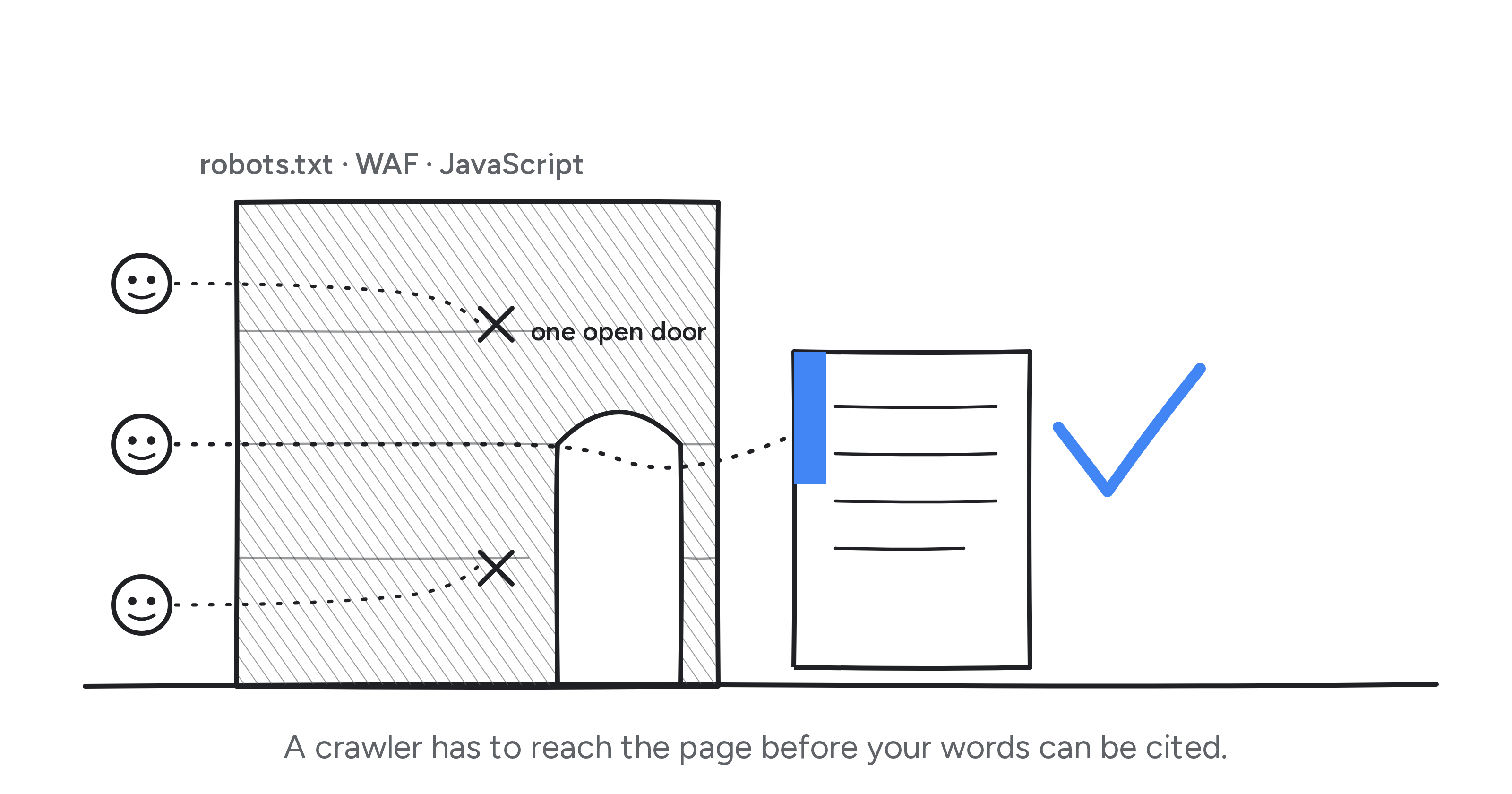
- The most expensive technical mistake in GEO is blocking the wrong crawler. Blocking GPTBot only opts you out of model training. Blocking OAI-SearchBot pulls you out of ChatGPT's search answers (OpenAI). They are different bots with different jobs.
- Most AI crawlers do not run JavaScript. Vercel's analysis of AI crawler traffic found that OpenAI's, Anthropic's, and Perplexity's bots fetched pages and never executed the client-side JavaScript (Vercel, 2024). If your main content loads in the browser, they read a blank page. Googlebot, which feeds Google's AI Overviews, is the exception.
- Google-Extended does not keep your content out of AI Overviews. It only opts you out of Gemini app and Vertex training. AI Overviews and AI Mode ride on Googlebot, so the only way out is leaving Google Search (Google).
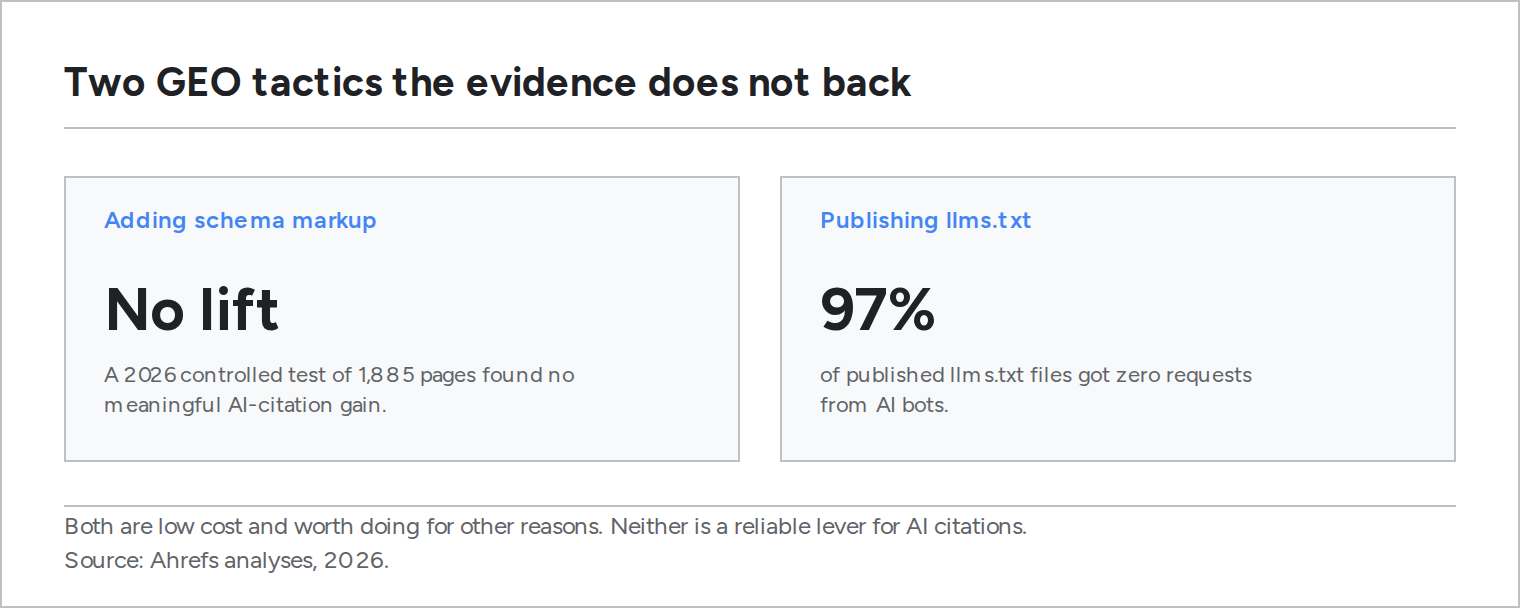
- Schema markup is worth keeping for entity clarity and classic search, but it will not buy you AI citations on its own. A 2026 controlled test of 1,885 pages that added JSON-LD found no meaningful citation lift (Ahrefs).
- llms.txt is cheap to publish and, so far, ignored. In one scan of published llms.txt files, about 97% received zero requests from AI bots, and no major engine has confirmed reading it (Ahrefs).
GEO (generative engine optimization, also written AEO for answer engine optimization, AISEO for AI search optimization, or just AIO) has two halves: the content and the plumbing. Most advice covers the content half. Write clearer answers, earn citations, cover the questions people actually ask. That work is real, and it also assumes an AI crawler can reach your page, read it, and parse it. At Kuroma we audit a lot of sites, and a surprising share lose visibility before a single sentence is judged, because a crawler was blocked, a page rendered empty, or an edge rule returned a 403 to a bot nobody recognized.
This is the plumbing checklist: seven technical changes, ordered roughly by how often they turn out to be the real problem. None of them require rewriting your content. Several take an afternoon.
Here are the seven, in the order I would check them:
- Let the visibility crawlers in, and block training only on purpose.
- Serve your content as HTML, not as JavaScript.
- Stop your CDN or WAF from quietly blocking AI bots.
- Publish a sitemap with honest lastmod dates.
- Label your entities and answers with schema, for the right reason.
- Write passages that stand on their own.
- Add llms.txt, but keep your expectations low.
In our audits we found that the first three account for most cases where a site with genuinely good content is missing from AI answers. The order is not academic. Fix the reachability problems before you spend a week polishing prose that no crawler can see.
1. Let the visibility crawlers in, and block training only on purpose
robots.txt is where most self-inflicted GEO wounds start. The vendors have quietly split their crawlers into three jobs, and the names matter. Some bots train models. Some fetch pages to build the search index that answers get cited from. Some fetch a page live because a user asked a question right now. A visibility crawler is a bot in that middle group: it reads your pages so an engine can quote and cite them in an answer.
Blocking a training crawler is a fair decision about whether your content trains a model. Blocking a search crawler is a decision to disappear from that engine's answers. People confuse the two constantly. The clearest case is OpenAI: GPTBot is the training crawler, and OAI-SearchBot is the one that surfaces you in ChatGPT search. OpenAI's own documentation says a site opted out of OAI-SearchBot will not appear in ChatGPT search answers. Disallow it thinking you are only opting out of training, and you have quietly switched off your ChatGPT visibility.
Sites that are opted out of OAI-SearchBot will not be shown as search results in ChatGPT.
That is OpenAI's own wording, and every major vendor now documents a similar split.
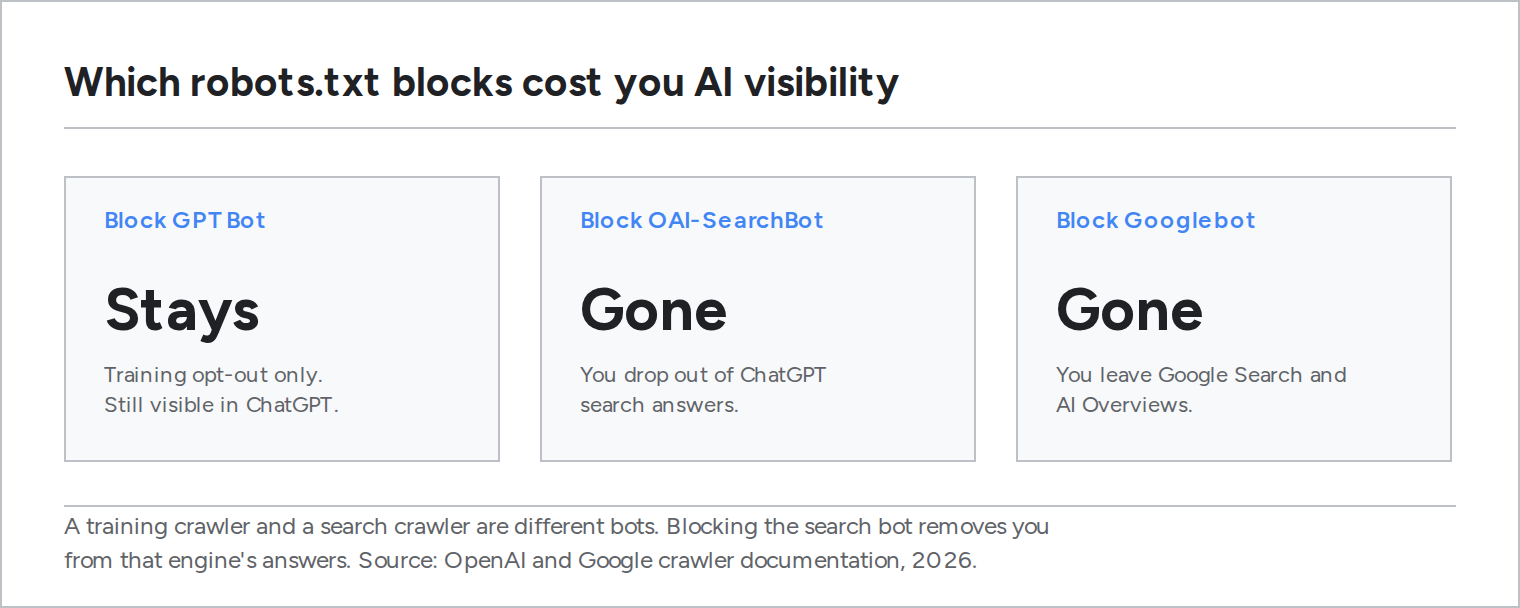
The same split runs across the vendors:
- Visibility bots (block these and you vanish from AI answers): OAI-SearchBot, ChatGPT-User, Claude-SearchBot, Claude-User, PerplexityBot, Googlebot, and Amazon's Amzn-SearchBot.
- Training bots (blocking costs no visibility): GPTBot, ClaudeBot, Google-Extended, Applebot-Extended, Amazonbot, and CCBot.
Here is the short reference for the crawlers that matter most:
| Crawler | Vendor | Job | Blocking it costs you |
|---|---|---|---|
| OAI-SearchBot | OpenAI | Search | Your place in ChatGPT search answers |
| GPTBot | OpenAI | Training | Nothing visible: it only opts you out of model training |
| PerplexityBot | Perplexity | Search | Your place in Perplexity answers |
| Claude-SearchBot | Anthropic | Search | Your place in Claude web-search answers |
| Googlebot | Search | Google Search and its AI Overviews together | |
| Google-Extended | Training | Only Gemini and Vertex training, not AI Overviews |
Two traps hide in here. First, Perplexity's user fetcher and Meta's fetcher ignore robots.txt for user-driven requests, so a robots rule will not stop them and only an edge rule will. Second, old tokens like anthropic-ai no longer map to a live crawler, so a robots file full of them is guarding a door that no longer exists. Open your robots.txt and read it line by line against the current list.
2. Serve your content as HTML, not as JavaScript
Here is the finding that catches modern sites: the major AI crawlers do not run JavaScript. Vercel's analysis of AI crawler traffic in 2024 found that OpenAI's, Anthropic's, and Perplexity's bots fetched pages and never executed the client-side JavaScript. They will download your JS files and still read nothing from them. In the same analysis, Anthropic's crawler requested JavaScript in about 24% of its fetches and executed none of it. We found the same pattern in our own audits: content that looked fine in a browser was simply gone from the raw HTML.
If your site is a single-page app that ships an empty container and paints the article in the browser, those crawlers see the empty container. The content you can read is invisible to them. The one exception is Googlebot, which renders JavaScript and carries that rendered content into Google's AI Overviews, so Google's AI surface is more forgiving than the rest.
The fix is to put your content in the HTML the server returns: server-side rendering, static generation, or prerendering pages for bots. The test takes ten seconds. Fetch your page with curl, or view the raw HTML source, and search for a sentence from your article body. If it is not in the returned HTML, it is not there for the crawler either. Our own blog is server-rendered for exactly this reason.
3. Stop your CDN or WAF from quietly blocking AI bots
An "Allow" in robots.txt means nothing if your edge returns a 403 first. CDNs now ship one-click "block AI bots" toggles, and bot-management rules routinely flag AI crawlers as suspicious traffic and hand them a challenge page they cannot solve. Rate limits do the same thing more slowly. And a soft-404 is a page that returns HTTP 200 while its body says "not found," which tells a crawler the page is healthy when it is empty.
Our analysis of sites that ranked well in classic search but never got cited by AI kept pointing right here. Pull your edge logs, filter for the visibility user-agents from the first item, and confirm they get 200s rather than 403s, 429s, or 503s. We had a version of this on our own stack once: a robots endpoint started returning 503 to Googlebot, and visibility slid until we traced it. Real status codes are not optional here.
4. Publish a sitemap with honest lastmod dates
A sitemap is how a crawler finds pages that are not linked from your homepage, and lastmod is a freshness hint. List canonical URLs only, keep the file current, and update lastmod when the content actually changes. Bumping lastmod on every deploy trains crawlers to ignore it, which defeats the purpose. Point to the sitemap from robots.txt so it is easy to find.
5. Label your entities and answers with schema, for the right reason
Add JSON-LD for your organization, your author, your articles, and any genuine question-and-answer content. Then set your expectations correctly, because this is where a lot of GEO advice oversells.
Google limited FAQ rich results in 2023 and has since removed them from Search, and HowTo went the same way. That retired a display feature. It did not make the markup invalid or harmful. What schema still does is label your entities in a machine-readable way, so an engine does not have to infer your company name, your author, or the question a section answers from prose alone.
What schema does not do, on the current evidence, is win you AI citations by itself. Ahrefs ran a controlled test in 2026 on 1,885 pages that added JSON-LD against thousands of matched controls, and found no meaningful lift in AI citations. So add schema because it keeps your entities clear and still helps classic search and Google's own AI surfaces, not because it is a shortcut to being quoted.
6. Write passages that stand on their own
This is the one item that touches content, because retrieval happens at the passage level, not the page level. An engine pulls a chunk of your page rather than the whole thing, so a paragraph that only makes sense after the three above it tends to get stranded. Anthropic's work on contextual retrieval showed that passages carrying their own context are retrieved far more reliably.
The practical version: put a real question or claim in a heading, answer it in the first two sentences under that heading, and make the passage readable on its own. Use actual H2 and H3 headings rather than bold text styled to look like a heading. And do not bury the answer inside a tab, an accordion, or a "read more" that only opens with JavaScript, because that is item two all over again: present after a click, absent for a crawler that does not click. This is the point where answer-engine thinking (AEO) and the plumbing meet.
7. Add llms.txt, but keep your expectations low
llms.txt is a convention proposed by Jeremy Howard in 2024: a markdown file at your site root that lists your important pages for language models. It is trivial to publish. Be honest about the payoff. No major AI engine has confirmed that it reads llms.txt, Google has said plainly that it does not use it for Search, and when Ahrefs scanned published llms.txt files, around 97% had received zero requests from AI bots. Add one if you want to place a cheap bet on an emerging standard. Do not budget any visibility to it yet. We publish one for our own blog because it costs a few minutes, not because we can measure a return.
How to tell if any of this is working
You measure the engines directly. Take the questions your customers actually ask, run them through ChatGPT, Perplexity, Gemini, and the others, and record which sources get cited and whether you are one of them. Run each prompt more than once, because the answers move. The same question can return different sources on different runs, since engines vary the searches they make behind the scenes. Citations also turn over across weeks, faster on ChatGPT than on Perplexity, so treat AI visibility as a distribution you watch over time rather than a rank you hit once. This is the part Kuroma automates, but you can start by hand with ten prompts and a spreadsheet.
FAQ
Does blocking GPTBot hurt my visibility in ChatGPT?
No. GPTBot is OpenAI's training crawler, so blocking it only opts your content out of model training. Whether you appear in ChatGPT's search answers is controlled by a different bot, OAI-SearchBot. If you want to stay out of training but remain visible in answers, allow OAI-SearchBot and disallow GPTBot.
Do I have to server-render my whole site for AI search?
You have to make sure the crawler receives your main content in the initial HTML response. Server-side rendering does that, and so do static generation and prerendering pages for bots. What fails is shipping an empty shell that fills in with client-side JavaScript, because the major AI crawlers other than Googlebot do not run it.
Can I keep my content out of Google's AI Overviews but stay in Google Search?
Not really. Google-Extended only opts you out of Gemini app and Vertex training. It does not touch AI Overviews or AI Mode. Those features are served through Googlebot, so the only way to leave them is to leave Google Search, which almost nobody wants.
Is schema markup still worth adding after Google dropped FAQ rich results?
Yes, but for entity clarity rather than a citation boost. The Google change removed a display feature, not the value of machine-readable labels for your organization, author, and answers. Just do not expect schema on its own to increase AI citations, because the best controlled test so far did not find that effect.
How often do AI search citations change?
Often enough that a single check tells you very little. The same prompt can return different sources on different runs, and the set of cited pages turns over across weeks, faster on ChatGPT than on Perplexity. Measure repeatedly and follow the trend rather than reacting to one snapshot.